

You get into someone’s Volkswagen and immediately notice something special. The mirrors fold in when locking. The ambient lighting changes color. And the speed is displayed large and digital on the dashboard. “How did you do that?” you ask. The answer is a small device: the OBDeleven. Many of these features are already in your own Volkswagen. They’re just turned off from the factory. With OBDeleven, you can activate them yourself via a One-Click App, right from your phone. One tap and done, and you can just as easily switch it back.
Below are the most popular hidden features for Volkswagen, with an example for each feature. Note: availability depends on your model, year, and equipment.
The Most Popular Hidden Features for Your Volkswagen
1. Digital Speedometer and Welcome Screen
Display your speed large and digital on the instrument panel. Handy if you prefer a sleek, modern display instead of just analog needles. On models with analog gauges, you can also set a needle sweep: when starting, the needles move fully back and forth once. It’s a small detail, but it gives your Volkswagen a premium look every morning. And you set it up in a few taps, without removing anything.

Why VW drivers like this: a sportier, more personal look every time you get in.
2. Ambient Lighting in Your Color
Does your Volkswagen have ambient lighting? Then you can choose the color and mood inside the interior yourself. Think of a warm tone for the evening, or a cool color that matches your car. On some models, you can even link the lighting to the driving mode. This makes every evening drive feel more personal and luxurious. And you can change it as often as you like.

Why VW drivers like this: a premium feel inside, without extra hardware.
3. Start-Stop System Off by Default
The ECO start-stop system turns off the engine at every stop and restarts it when you accelerate. Good for fuel consumption, but often annoying in busy city traffic. Normally, you have to press the button every trip to turn it off. With this One-Click App, your car remembers your last choice. Set it once and forget about it.
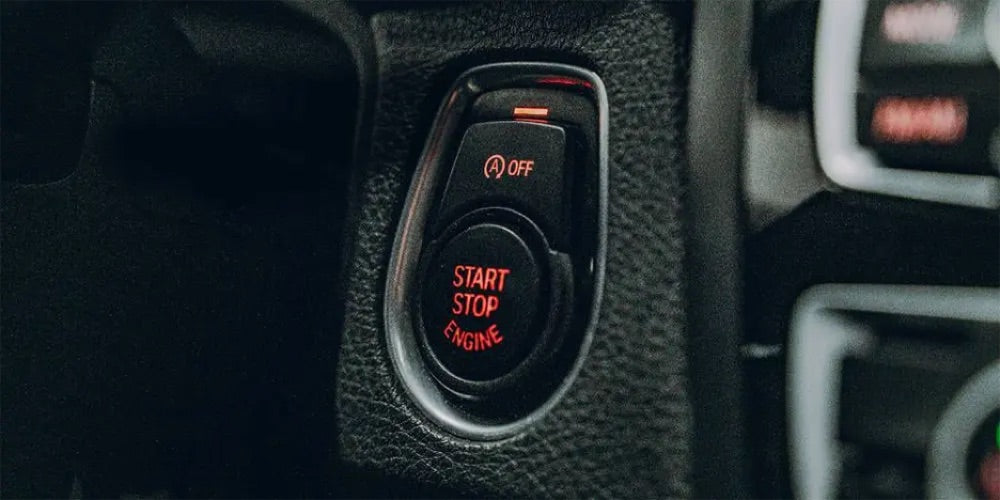
Why VW drivers like this: smoother driving with fewer interruptions.
4. Open Windows with the Key
Open or close all windows at once with your remote control, without getting in first. Ideal for airing out your scorching hot car before you sit down. Or to quickly close everything if it starts raining after you’ve already walked away. Simply hold down the button on the key. Small convenience, but you notice it every hot or wet day.

Why VW drivers like this: comfort on a hot day, with the press of a button.
5. Adjust Seatbelt Warning
Not everyone finds the seatbelt warning tone pleasant. With OBDeleven, you can adjust how and when your car reminds you. Handy if the tone is too harsh or barely noticeable. Note: driving without a seatbelt remains unsafe and can affect your MOT, so use this wisely. The goal is for your car to behave the way you want, not to compromise safety.

Why VW drivers like this: control how your car warns you.
6. Oil Service Reset After Maintenance
Did you change the oil yourself? Then the service message is probably still on your dashboard. With this One-Click App, you reset the oil interval and clear that message in seconds. No dealer appointment needed and no separate diagnostic tool. You keep track of your own maintenance neatly and save on call-out costs. Exactly what you want if you like to do your own repairs.

Why VW drivers like this: keep track of your own maintenance and save money.
7. Brake Pad Reset After Brake Work
Installed new brake pads? Some Volkswagens want the system to know that new pads are fitted. This function resets the wear indicator and brake procedure properly. That way, everything works as it should after your job. It’s the professional finish you’d otherwise have the garage do. And you do it yourself, right from your phone.

Why VW drivers like this: a neat, professional finish to your own brake job.
How to Activate a One-Click App?
- Plug the OBDeleven adapter into the OBD2 port under the dashboard.
- Open the app, log in, and connect to your car via Bluetooth.
- Go to One-Click Apps, choose the feature, and tap apply.
You use One-Click Apps with Credits, or unlimited with the ULTIMATE subscription. Want to go deeper? On the Volkswagen group, you can also manually code and perform adaptations. So OBDeleven is an affordable alternative to VCDS (also known as VAG-COM).
Does This Work on Your Volkswagen?
OBDeleven works on almost every Volkswagen with CAN bus, roughly from 2008 onward. Which features you have depends on your model and equipment. Unsure about your model? Read our detailed guide: OBDeleven: which cars, what can it do, and which subscription?
Want to see exactly what’s possible for your model and year? Check the full list on the official OBDeleven customizations page for Volkswagen.
Frequently Asked Questions
Does OBDeleven work on my Volkswagen?
That depends on your model, year, and equipment. On the official OBDeleven customizations page for Volkswagen, you can see exactly which features are available for your car.
Do I need coding knowledge?
No. Most features are activated with a One-Click App: one tap and done. Only if you want to go really deep do you code manually yourself.
Can I revert a feature?
Yes. Every change can be reverted to factory settings with the same button. Your car is not at risk.
Which subscription do I need?
Reading fault codes and live data is free. For One-Click Apps, you use Credits (PRO) or unlimited with ULTIMATE. For manual coding, you need PRO or ULTIMATE.
Ready to Get Started?
With an OBDeleven, you can activate these features within minutes. Check out the OBDeleven packages →