

You get into a BMW and the digital dashboard switches to the sleek M display. The ambient lighting glows red and blue along the doors. And when driving off, the tailgate softly closes itself. “All done by myself,” says the owner. With a small device: the OBDeleven. Many of these functions are already in your BMW. They’re just turned off from the factory. With a One-Click App, you turn them on yourself, with one tap from your phone. And you can just as easily switch them off again.
Below are the ten most popular hidden features for BMW, each with an example. Note: availability depends on your model, year, and equipment.
The most popular hidden features for your BMW
1. XtraBoost mode
Sometimes you need a quick boost, for example to merge smoothly onto the highway. XtraBoost temporarily sets the electric motor and gasoline engine of hybrid BMWs to full power. This gives you a short, powerful sprint exactly when you need it. You activate it via Driving Experience Control. It makes a hybrid suddenly feel much livelier.

Why BMW drivers like this: a noticeably stronger throttle response, ideal for overtaking or merging.
2. Ambient lighting in your color
For BMW, there are several One-Click Apps to adjust the ambient lighting. Think of a sporty red-blue combination, a rainbow mode cycling through colors, or just your own color pair. This way, you choose the atmosphere that fits the moment or your taste. Evening drives instantly become more luxurious and personal. And you can change it as often as you want.

Why BMW drivers like this: a more modern, personal interior, especially in the dark.
3. M View instrument cluster
Not everyone finds the standard digital gauge attractive or clear. With the M View cluster, you change your instrument panel to the M style you know from BMW M models. You get a larger speed scale (up to 330 km/h), the oil temperature displayed, and an M logo animation when shutting down. This way, you drive with a sportier, sleeker look without owning an M. Many BMW drivers call this the best upgrade.

Why BMW drivers like this: a sportier, sleeker dashboard without driving an M model.
4. Vehicle style on your screen
With this One-Click App, you customize how your car is displayed in the multimedia system. You choose a display that better matches your real BMW or looks a bit sleeker on the screen. It appears, among other places, in the parking view and the menus. A small detail, but it makes the whole experience more personal. And you set it up in no time.

Why BMW drivers like this: a slightly more personal, premium look on your screens.
5. M Shift Lights
The M Shift Lights add shift indicators to your instrument panel. As your RPM rises, the lights illuminate as a hint for the ideal shift point. This lets you shift more precisely while keeping your eyes on the road. Especially nice with manual or sport mode. It makes sporty driving a bit more intuitive.
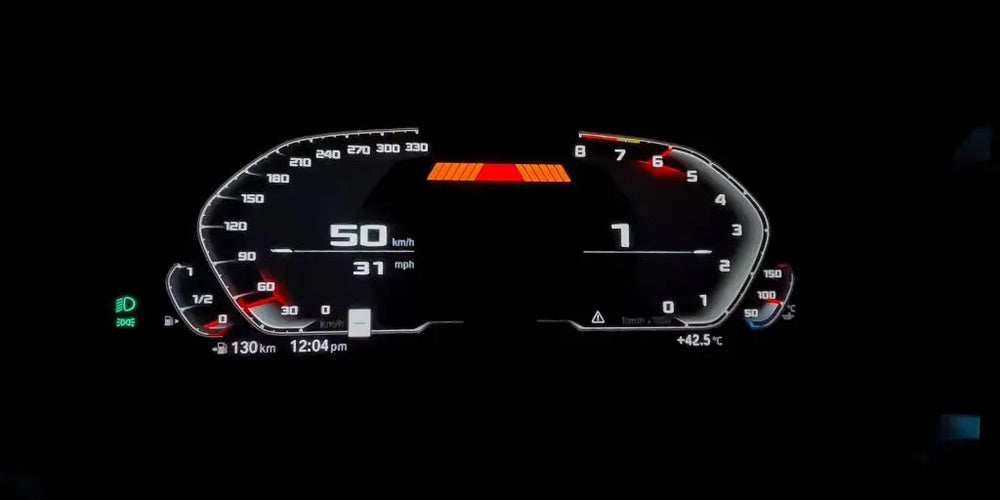
Why BMW drivers like this: sharper shifting while keeping your eyes on the road.
6. Speedometer up to 330 km/h
Do you often drive on roads without limits, like the Autobahn? Then this app helps your sense of speed. It adjusts your speedometer scale from 260 to 330 km/h on supported clusters. This immediately makes your dashboard look sportier, in the style of more powerful BMWs. Many drivers combine this with the M View cluster for a complete look.
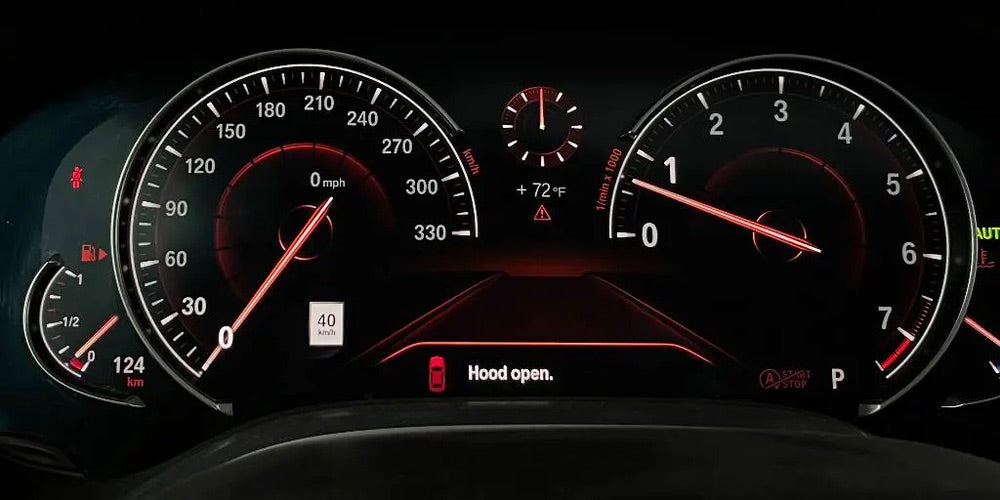
Why BMW drivers like this: a performance look, nicely combined with the M View cluster.
7. Anti-Glare Headlights
At night, you normally switch manually between high and low beams to avoid dazzling oncoming drivers. With anti-glare, the adaptive headlights automatically shape the light pattern around other cars. This way, you maintain maximum visibility without dazzling anyone. Night drives become safer and calmer. The system adjusts itself to the traffic.

Why BMW drivers like this: safer and more comfortable driving at night.
8. Vehicle Color on Your Screen
With the Vehicle Color app, you change how your BMW is displayed on the screen. You adjust your car’s color in the system and in the dashboard animations. It stands out especially in the startup animation and parking display. Handy to match the screen with your real color or a new wrap. Purely for fun and a personal touch.
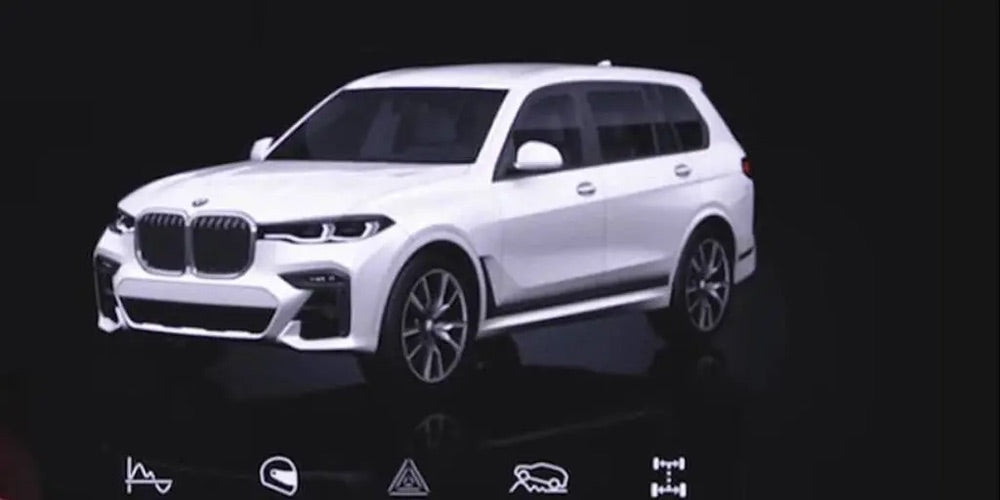
Why BMW drivers like this: a fun, personal touch you see every start.
9. 2WD Mode
Do you enjoy a sporty driving style? Then the 2WD mode is interesting. This app unlocks the option in the multimedia system to switch from xDrive (4x4) to 2WD. On supported BMWs, the system then shows a rear-wheel-drive style without any hardware changes. Enthusiasts find it a more dynamic experience. And you set it via the screen.

Why BMW drivers like this: a sportier, more dynamic driving experience for enthusiasts.
10. Soft-close tailgate
No more slamming the tailgate. With Soft Close, the tailgate pulls itself closed gently and smoothly. Ideal when your hands are full or to prevent others from slamming it shut. It adds an extra touch of convenience and class to your BMW. Note: your car must have a soft-close mechanism.

Why BMW drivers like this: convenience and class, your tailgate closes softly without force.
How do you activate a One-Click App?
- Plug the OBDeleven adapter into the OBD2 port, open the app, and log in.
- Connect to your BMW and open the One-Click Apps overview.
- Choose the feature, tap the options, then tap apply.
You use One-Click Apps with Credits, or unlimited with the ULTIMATE subscription. This way, you can activate a hidden feature within minutes, without a garage and without expensive dealer equipment.
Does this work on your BMW?
OBDeleven supports many BMW models (and MINI) with One-Click Apps. Which features you have depend on your model, year, and equipment. Unsure about your BMW? Read our detailed guide: OBDeleven: which cars, what it can do, and which subscription?
Want to see exactly what’s possible for your model and year? Check the full list on the official OBDeleven customizations page for BMW.
Frequently Asked Questions
Does OBDeleven work on my BMW?
That depends on your model, year, and equipment. On the official OBDeleven customizations page for BMW, you can see exactly which features are available for your car.
Do I need coding knowledge?
No. Most functions are activated with a One-Click App: one tap and done. Only if you want to go really deep do you work manually yourself.
Can I undo a function?
Yes. You can revert any change back to factory settings with the same button. Your car is not at risk.
Which subscription do I need?
Reading fault codes and live data are free. For One-Click Apps, you use Credits or the unlimited ULTIMATE subscription.
Want to get started yourself?
With an OBDeleven, you can activate these features within minutes. View the OBDeleven packages →